
Domain Management lets you control which users can automatically join your Clearstory account based on their email domains. Once a domain is verified, users who sign up or accept an invite using that email domain will be routed to the correct organization automatically.
This helps teams:
-
Get new users into the right account the first time
-
Avoid duplicate or incorrect company accounts
-
Reduce onboarding delays and access issues
Who Can Manage Domains
-
Account Owners only
-
Location: Settings > Advanced Settings > Domain Management
If you do not see Domain Management in your settings, you may not be an account owner.
How Domain Management Works
-
You add a company email domain, for example
yourcompany.com. -
Clearstory sends a verification email to confirm domain ownership.
-
Once verified, users who sign up with that domain are automatically added to your account.
View Your Domains
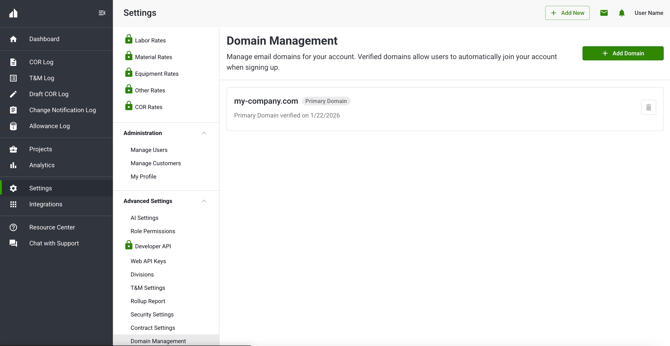
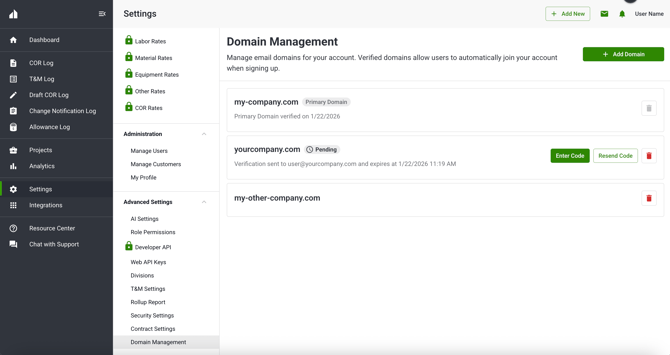
On the Domain Management page, you will see all domains associated with your account displayed as cards.
Each domain card shows:
-
Domain name
-
Verification status
-
Verification sent date or verified date
-
Available actions
Status indicators
-
Verified: Domain is active and routing users automatically
-
Pending: Verification email sent and action is required
Important notes
-
Your primary company domain, if owned, is always shown and cannot be removed.
-
If your account was created with a generic email address, such as Gmail, no default domain will appear until you add one.
Add a New Domain
You can add up to 10 additional company domains to your Clearstory account.
Steps
-
Go to Settings > Advanced Settings > Domain Management.
-
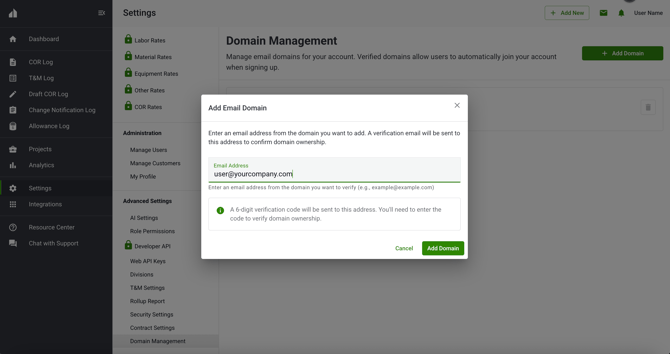
Click Add Domain.
-
Enter the domain name, for example
company.com. -
Click Submit.
What happens next
-
A verification email is sent automatically.
-
The domain status updates to Pending.
-
You will see the date and time the verification email was sent.
Domain rules
-
Generic domains such as Gmail, Yahoo, or AOL cannot be added.
-
Domains already claimed by another Clearstory account cannot be added.
Verify a Domain
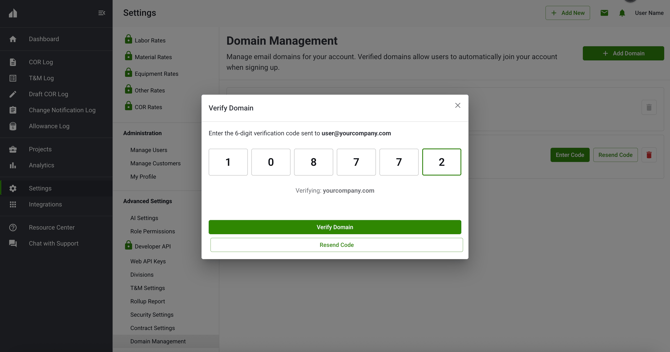
Verification confirms that your organization owns the domain. How verification works:
-
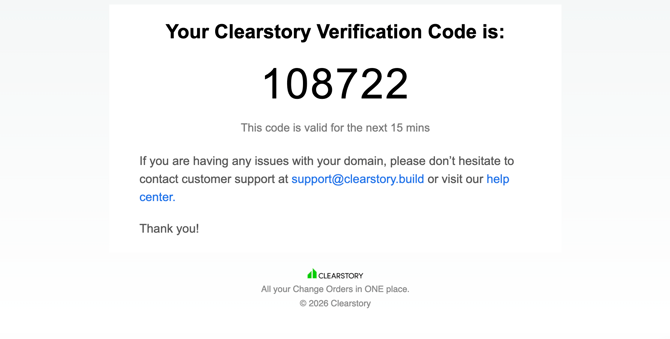
The verification email includes a secure code.
-
The code expires after 15 minutes.
-
While verification is pending, the domain will not route users automatically.
Entering the code
-
If the code is valid, the domain becomes Verified immediately.
-
If the code is expired, you will be prompted to resend the email.
-
After 5 failed attempts, the domain is locked and you must contact support.
You can resend the verification email at any time while the domain is pending.
Remove a Domain
If a domain is no longer needed, you can remove it at any time.
Before you remove a domain
-
Users with that email domain will no longer automatically join your account.
-
Existing users are not removed from the account.
Steps
-
Select the domain you want to remove.
-
Click Delete Domain.
-
Confirm the deletion.
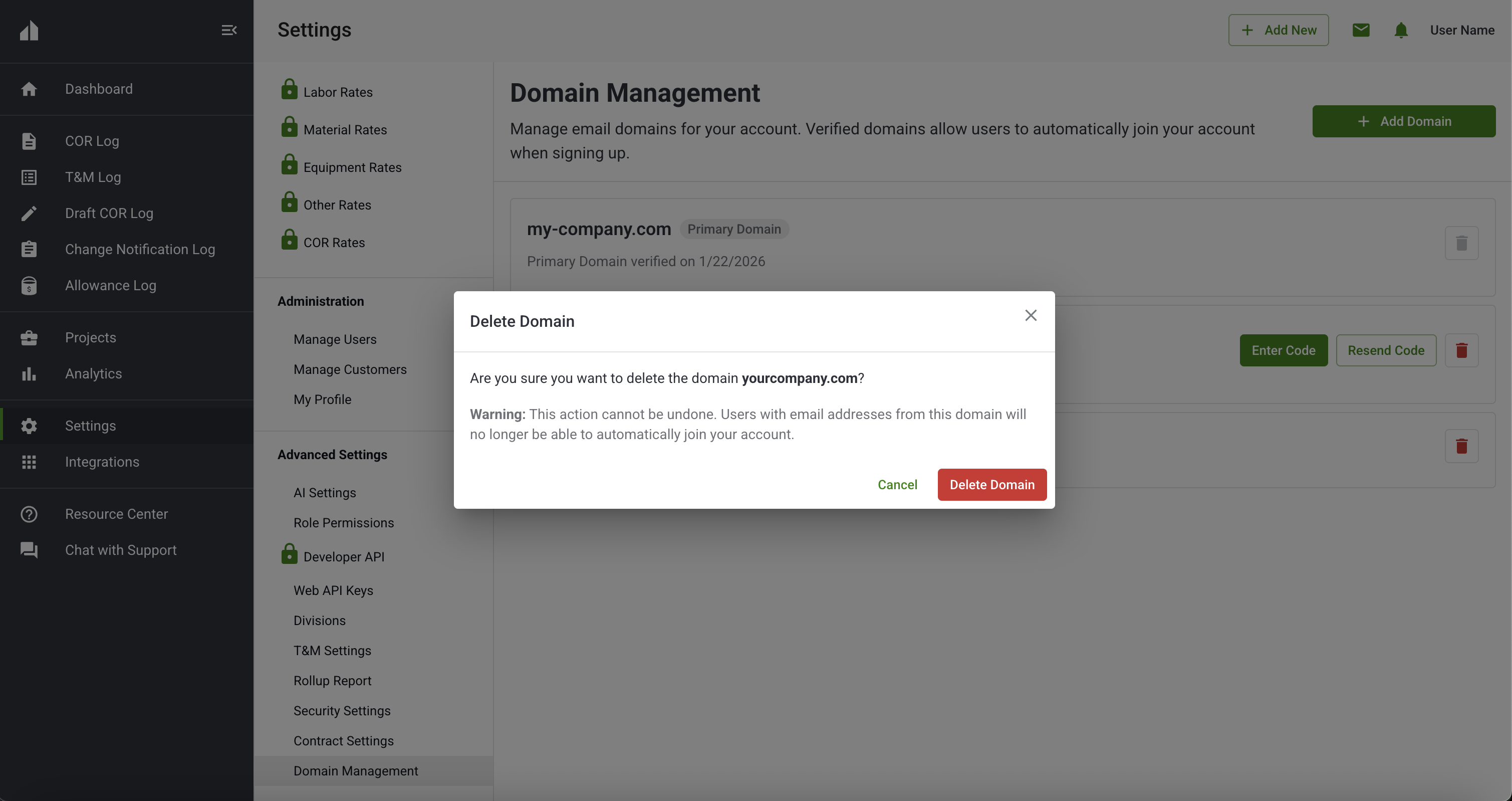
Once deleted, the domain becomes available to other accounts.
Troubleshooting and Status Actions
Each domain status includes helpful actions.
| Status | Action |
|---|---|
| Verified | No action needed |
| Pending | Resend verification email |
Frequently Asked Questions
Why can I not add my domain?
Your domain may already be claimed by another Clearstory account, be a generic email provider, or be actively pending verification elsewhere. If you own multiple accounts, try removing the target domain from your other account before claiming it in your target account. Contact support if you believe you're seeing this message in error.
What happens if a user signs up before a domain is verified?
They will not be automatically routed until verification is complete. Once verified, future new users with the corresponding email domain will be automatically routed to your account.
How many domains can I add?
You can add up to 10 additional domains per account. Contact support if needed.
What if I enter the wrong verification code?
You can retry verification. After 5 failed attempts, the domain will be locked and support will need to assist.
Does removing a domain remove existing users?
No. Removing a domain only affects future automatic access.
Need Help?
If you reach the domain limit, need to claim a domain already in use, or are locked out after failed verification attempts, contact Clearstory Support and we will help you get set up.