
Overview
You can create a Clearstory project straight from an existing CMiC project. When you import, Clearstory copies over the project details for you, and you can optionally pull in the CMiC project's vendors and their contracts at the same time.
This is a guided wizard you can use when you want to bring one specific CMiC project into Clearstory.
Step 1: Turn on single project import
- Go to Integrations.
- Edit the CMiC configuration you want to use.
- Turn on Allow single project import.
- Save your changes.
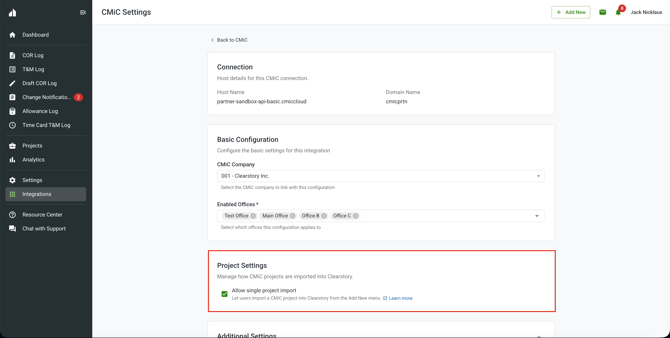
Step 2: Start the import
- Click Add New.
- Open the Project menu and choose Create from CMiC.
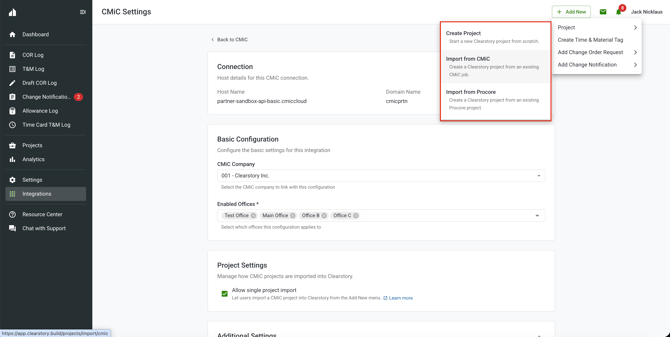
Step 3: Pick the office and CMiC project
First choose the office you want to import into. Then choose the CMiC project you want to import. The projects you can choose from depend on the office you selected.
If a project is already linked to a Clearstory project, you will see a heads up. You can still import it. Importing again creates a separate Clearstory project.
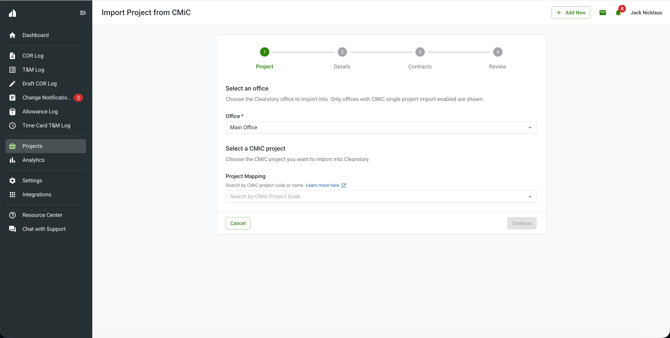
Step 4: Confirm the project details
Clearstory fills in what it can from CMiC. Review the details and change anything you need. Complete any required fields, then continue.
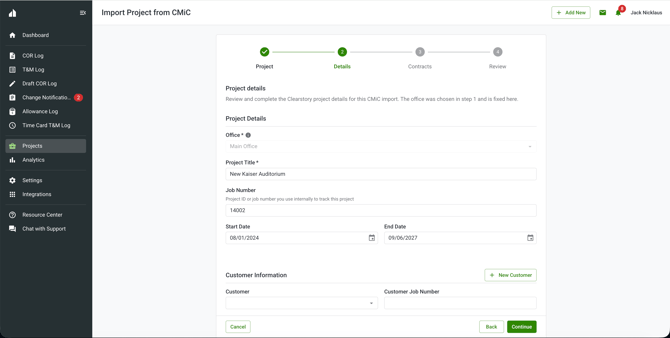
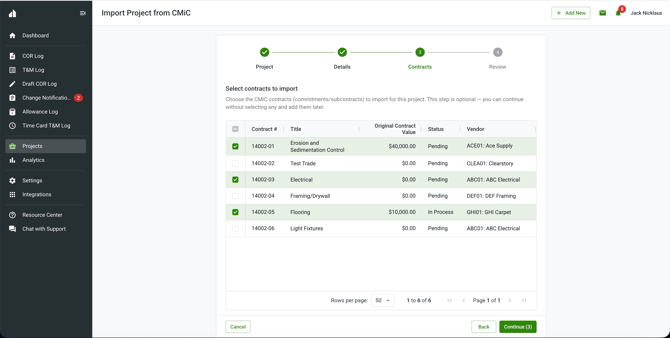
Step 5: Choose contracts to import
This step is optional. You can select the CMiC contracts you want to bring in — the grid shows vendors alongside their contracts, and selected contracts are imported and linked to the project (with their vendors) in one pass. Or skip it and add them later.
Step 6: Finish
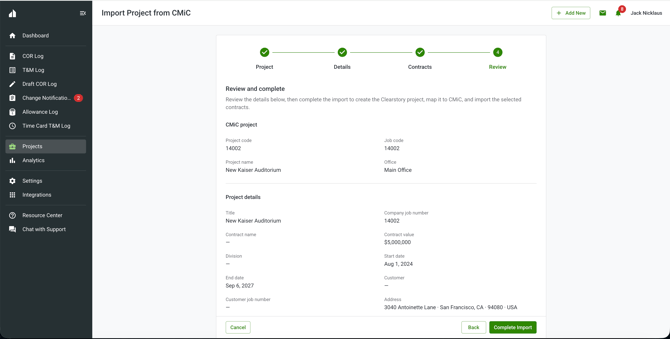
On the Review step, confirm your selections and complete the import. Clearstory creates the project, links it to CMiC, and creates any contracts you selected. When it is done, you land on the new project.
Nothing is saved until you complete the import from the Review step. If you leave before then, no project is created.
Frequently asked questions
Can I import the same CMiC project more than once?
Yes. Each import creates a new Clearstory project, so you can import the same CMiC project again if you need a separate one.
Do I have to import contracts?
No. The contracts step is optional. You can finish the import with no contracts and add them later.
I do not see the Create from CMiC option in the Add New menu. Why?
Check two things. First, the feature has to be enabled for your company. If it is not, reach out to Clearstory support. Second, Allow single project import has to be turned on for the CMiC configuration you are using. Turn it on in Integrations as described in Step 1.