![281e4339-eae2-4410-b634-e79d02ca089d.png]](https://knowledge.clearstory.build/hs-fs/hubfs/281e4339-eae2-4410-b634-e79d02ca089d.png?height=40&name=281e4339-eae2-4410-b634-e79d02ca089d.png)
This setting can only be accessed by Account Owners
This setting can be enabled at the Company Level or at the Project Level. If you set at the Company Level, all newly created projects will have these settings enabled by default.
Accessing Company Level Settings
As an Account Owner, navigate to Settings > Advanced Settings> and click Contract Settings
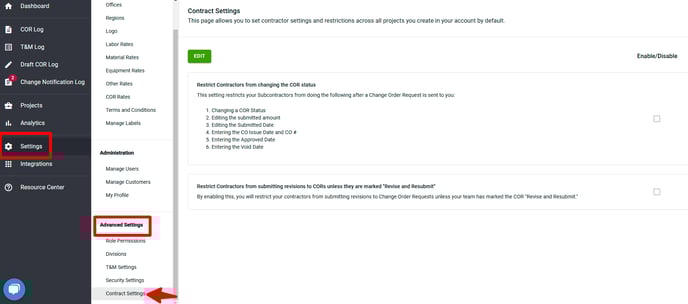
You have two available options, and you can choose to enable either one or both:
- Restrict Contractors from changing the COR status
- This setting prevents subcontractors from making changes to a Change Order Request after it has been submitted. This includes modifying the COR status, submitted amount, and submitted date, as well as entering the CO issue date, CO number, approved date, and void date.
- Restrict Contractors from submitting revisions to CORs unless they are marked "Revise and Resubmit"
- This setting ensures that contractors can only submit revisions to Change Order Requests if the COR is marked as "Revise and Resubmit" by your team.
- This setting ensures that contractors can only submit revisions to Change Order Requests if the COR is marked as "Revise and Resubmit" by your team.
Accessing at the Project Level
Open your project and navigate to Advanced Settings > Contract Settings
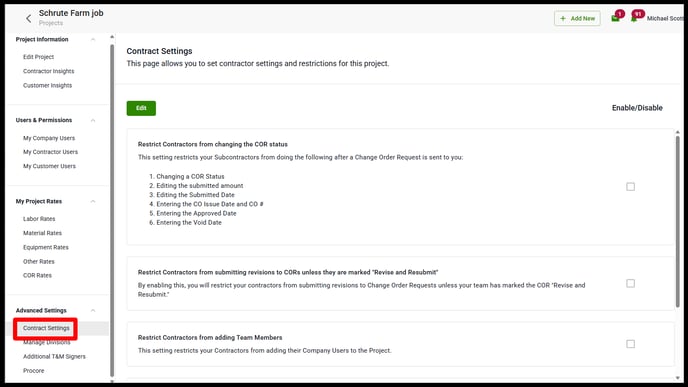
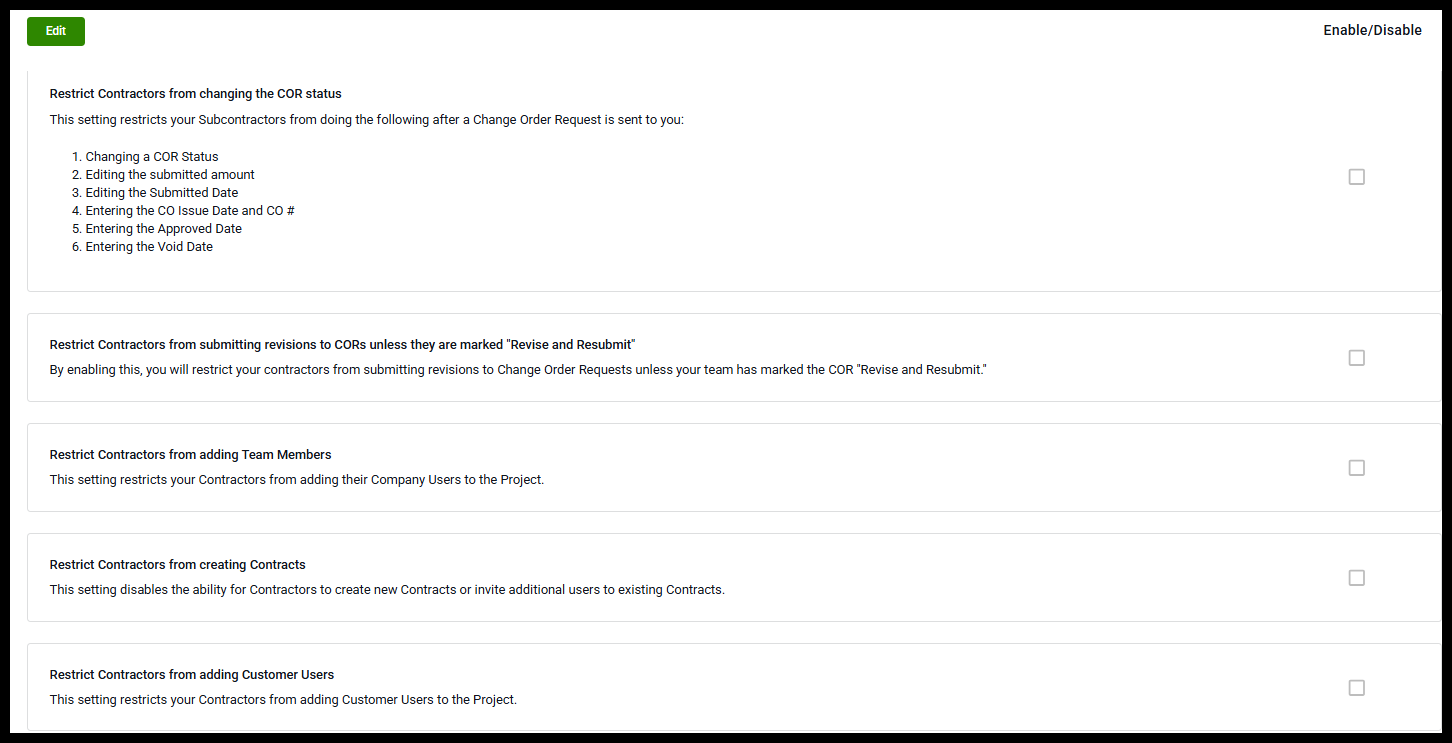
You have five available options, and you can choose to enable any of the following:
-
Restrict Contractors from changing the COR status
-
This setting prevents subcontractors from making changes to a Change Order Request after it has been submitted. This includes modifying the COR status, submitted amount, submitted date, CO issue date, CO number, approved date, and void date.
-
-
Restrict Contractors from submitting revisions to CORs unless they are marked "Revise and Resubmit"
-
This setting ensures that contractors can only submit revisions to Change Order Requests if the COR is marked as “Revise and Resubmit” by your team.
-
-
Restrict Contractors from adding Team Members
-
This setting restricts your Contractors from adding their Company Users to the Project.
-
-
Restrict Contractors from creating Contracts
-
This setting disables the ability for Contractors to create new Contracts or invite additional users to existing Contracts.
-
-
Restrict Contractors from adding Customer Users
-
This setting restricts your Contractors from adding Customer Users to the Project.
-
If you’re interested in using this feature, please reach out to us at support@clearstory.build